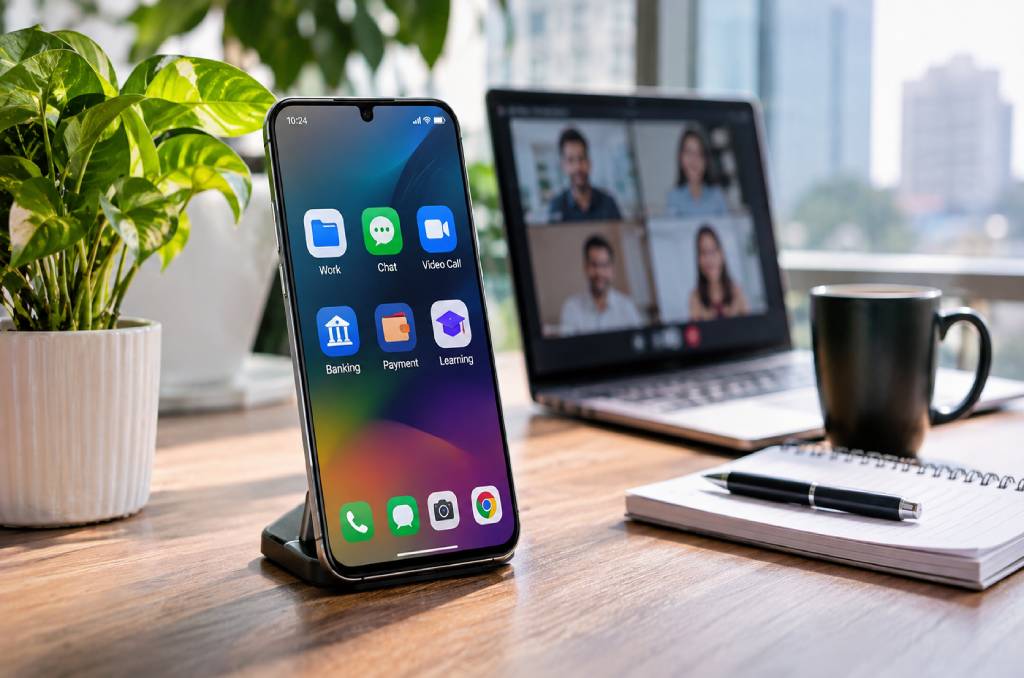
Smartphone technology lets people work from anywhere, talk through calls, chats, and video, and stay linked to banks, schools, and family all day.
In Bangladesh, BTRC data shows 189.83 million active mobile subscribers at the end of June 2026. Of the country’s 135.94 million internet subscribers, 120.84 million go online through mobile networks.
That is why more buyers now check the mobile price in Bangladesh before they pick a phone for work, study, or daily life.
Think about your last hour. You may have replied to a client, paid a bill, and checked a family chat, all from one small screen.
This post covers how phones changed work, communication, and daily life. It also shows which features matter and which mistakes to avoid.
How Have Smartphones Changed the Way People Work?
Smartphones let people work from almost any place, not only from an office desk. Email, chat apps, video calls, and cloud files now fit in one pocket-sized device.
A sales rep can send a quote from a taxi. A designer can approve a draft from home. A shop owner can answer a customer while stocking shelves. Work no longer waits for a laptop to start up. Teams can also share updates across time zones without waiting for office hours. This is a big reason why remote and hybrid work became easier to run.
| Work Task | How a Phone Helps |
| Approvals | Read and reply to email in minutes |
| Team talk | Share updates in group chats |
| Meetings | Join video calls from any place |
| Files | Open and edit shared documents |
| Payments | Send and receive money in apps |
How Do Smartphones Change the Way People Communicate?
Smartphones turned communication from simple calls into many fast channels. People now pick voice, text, voice notes, or video based on what suits the moment.
Years ago, a call or an SMS was the main choice. Today, a team can share a photo in a group chat and settle a question in seconds.
Voice notes help when typing is slow, and a short note often says more than a long text. Video calls help families who live in different cities or countries feel close.
How Do Smartphones Keep People Connected in Daily Life?
Phones now link people to money, learning, and public services. Mobile financial services in Bangladesh show this clearly.
Bangladesh Bank data, reported by The Daily Star, shows mobile financial services handled an average of Tk 5,883 crore a day in 2025. Apps such as bKash, Nagad, and Rocket let people send money, pay bills, and receive salaries from a phone.
Students also join online classes and download study material from the same device. One phone now does the job of a wallet, a notebook, and a telephone.
Which Phone Features Matter Most for Work and Calls?
For work and calls, focus on RAM, storage, battery, display, and network support. A phone with 6GB to 8GB of RAM and 128GB of storage is a comfortable starting point for most people.
Two phones at the same price can feel very different in daily use. This table shows what to check first.
| Feature | Why It Matters | What to Check |
| RAM and Storage | Keeps apps open and holds files | 6GB to 8GB RAM, 128GB storage |
| Battery and Charging | Decides how long you work away from a socket | mAh for capacity, watts for charging speed |
| Display | You look at it all day | AMOLED for deeper blacks, 90Hz or 120Hz for smooth scrolling |
| Network | Sets data speed and call quality | 5G helps only where your operator offers it |
Heavy gamers and people who shoot a lot of video should look at 12GB of RAM and 256GB of storage or more.
Does Being Always Connected Have a Downside?
Yes, always-on access can blur the line between work and rest. Clear habits help you stay in control.
A 2014 study by Kristine Dery, Darl Kolb, and Judith MacCormick, published in the European Journal of Information Systems, studied this shift. The authors found that many users no longer see a full break from work as possible or even wanted.
Instead, they switch between work and personal contact to manage the flow. That choice is the key. A phone helps most when you decide when it can reach you.
Common Mistakes People Make When Choosing a Work Phone
The biggest mistake is paying for a big price tag instead of the right features. Many buyers also skip simple checks that protect them later.
- Ignoring storage. Chat media and work files fill a small phone fast. Low storage slows everything down.
- Chasing 5G without coverage. A 5G phone gives faster data only where your operator offers 5G. A strong 4G phone can be the better buy elsewhere.
- Checking only battery size. Battery capacity and charging speed are two different numbers. Check both before you pay.
- Skipping the IMEI check. Bangladesh uses the National Equipment Identity Register, run by BTRC, to check each handset. Dial *#06# to see the IMEI before you buy.
- Ignoring the warranty. Some phones are made for other markets, and their warranty terms can differ. Ask which warranty applies before you order.
Simple Habits to Stay Productive and Connected
Good habits turn a smartphone into a tool that helps you instead of a screen that drains you. These small steps take only a few minutes to set up.
- Set quiet hours. Mute work alerts at night so you can rest and return fresh.
- Back up your files. Save important documents to the cloud so a lost phone never costs you work.
- Lock your payment apps. Use a strong PIN and two-step verification for money apps.
- Update your apps. Updates fix security gaps and keep your phone running well.
- Carry a power bank. A long day away from a socket is easier with extra charge.
A Smart Way to Move Forward
Smartphones now sit at the center of work, talk, and daily life. They save time, but they also ask for balance. Pick a phone that fits your real needs, not just your budget or the latest trend.
Then set simple rules for how and when you use it. That mix keeps you connected and in control.